Automation apps for families and small businesses.
TrailRunner helps households, homeowners, creators, and local teams enrich everyday life with practical apps for connectivity, planning, safety, documents, care, and small-business workflows.
Technology keeps growing. TrailRunner helps people decide what actually matters.
Families and small businesses are asked to navigate apps, AI, automation, privacy, subscriptions, connected devices, documents, customer workflows, and security decisions all at once. TrailRunner turns that pressure into simple paths: understand the problem, pick the right automation, protect the household or business, and keep learning as technology changes.
Start with the problem, then match the app.
Gold-standard stores help people choose with confidence. TrailRunner asks the same practical questions a support specialist would ask before recommending an app.
View Recommended AppsEverything shoppers need before they choose an app
Family-friendly, pro-business automation with practical trust built in
We build and sell apps that respect households, support small teams, explain value clearly, and keep people in control of the automation they depend on.
Family-friendly by default
Clear language, useful outcomes, and tools that make home life easier without turning everyday routines into a technical project.
Pro-business and practical
Automation should save time, reduce follow-up, clarify work, and help small businesses serve customers with less friction.
Human support path
Families and businesses can ask for help choosing, bundling, and improving the apps that fit their real needs.
Fair idea partnerships
When a community idea becomes a selected TrailRunner app, the idea partner can share in the upside under written terms.

Helpful automation for the rhythms of home
TrailRunner apps are framed around household outcomes: connectivity, planning, safety, care, documents, and the small routines that make life run better.
Automation that helps small teams move faster
From follow-up to field work, the store favors clear business value, dependable support, and tools that can grow from a first workflow into a stronger operation.
DIY playbooks for families and small businesses before they buy
Start with the outcome, follow the checklist, then decide whether a TrailRunner app, a support bundle, or a custom idea is the right next move.
How to find the real cause of weak home Wi-Fi
Separate router placement, device limits, provider issues, and room-by-room signal problems before spending money on new gear.
- Test in the room where the problem happens, not beside the router.
- Run one test near the router and one test at the weak spot.
- Write down time of day, device, room, and what failed.
- Restart only one part of the setup at a time so the fix is traceable.
- You can explain whether the issue is speed, coverage, reliability, or device-specific.
- You have a shareable result for support or a provider call.
- You know whether SignalSense Home is the right next step.
How to turn a busy household into a simple operating system
Build one shared view for school, meals, chores, errands, appointments, and reminders without creating another app nobody checks.
- Pick one weekly planning time and one daily check-in moment.
- Group tasks by person, place, and deadline.
- Keep recurring work simple: meals, school, chores, errands, care, documents.
- Review what was missed each week and automate only the repeated misses.
- Everyone knows where the family plan lives.
- Recurring tasks stop depending on one person remembering everything.
- Family Command Center has a clear first workflow to support.
How to choose the first workflow your business should automate
Find the repeated admin work that costs time, delays customers, or creates follow-up mistakes before buying another generic tool.
- List the five tasks repeated every week by the owner or team.
- Mark each task as customer-facing, billing-related, field-work, or internal admin.
- Choose the task with the most repetition and the clearest measurable outcome.
- Define the first version in plain language before selecting software.
- The automation has a named owner and success measure.
- The first version can launch without changing every business process.
- SignalSense Enterprise or a custom app idea has a clear purpose.
How to review privacy, billing, and support before checkout
Use the same decision pattern for every app: what it does, what data it needs, what it avoids, what it costs, and where help lives.
- Read the app purpose and make sure the claim matches your need.
- Review data collected, data not collected, and data sharing.
- Check subscription, cancellation, support, and refund notes.
- Save the order details and support path after purchase.
- There is no mystery about recurring cost or support.
- You understand why the app needs the data it uses.
- The app feels appropriate for a family or small-business environment.
How to write an app idea TrailRunner can evaluate
Turn a rough idea into a useful brief: who needs it, what problem repeats, how it helps, and why people would pay for it.
- Describe the person or business role with the problem.
- Name the repeated task, decision, or frustration.
- Explain what the first useful version must do.
- List who would pay, why, and how often they would use it.
- The app solves a repeated need, not a one-time annoyance.
- The customer and outcome are specific.
- TrailRunner can evaluate build fit and creator agreement terms.
Highest-priority apps with a clear reason to buy now
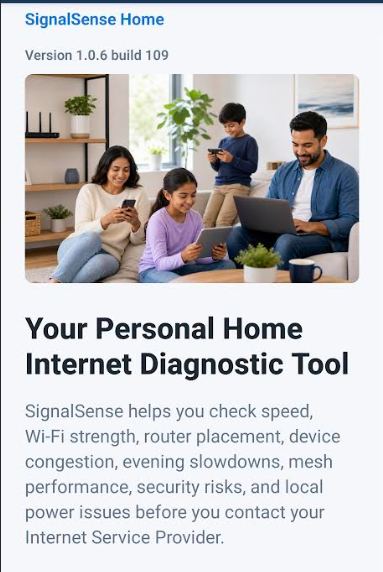
SignalSense Home
Consumer-friendly signal testing and home connectivity insight for everyday users.
- Simple mobile testing
- Home connection guidance
- Clear shareable results
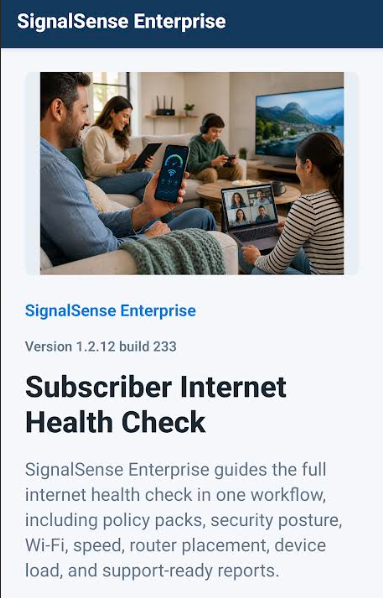
SignalSense Enterprise
Network intelligence and field signal validation for business and infrastructure teams.
- Commercial field testing
- Team-ready reporting
- Priority implementation support
Short feature showcases for every TrailRunner app
Each app gets a brief, shopper-friendly preview focused on the first few features a family or business should understand before buying.
SignalSense Home
A short walkthrough will show a home Wi-Fi test, the weak-spot result, and the shareable report a household can send to support.
- Run a quick connection check
- See plain-language home guidance
- Share results when asking for help
SignalSense Enterprise
A short walkthrough will show a field test, the evidence captured for a location, and how a team can use the result for operations or support decisions.
- Capture field signal evidence
- Organize reporting for teams
- Escalate with priority onboarding
Practical consumer apps that help households, families, homeowners, and small businesses solve everyday problems.
The marketplace is organized around buying intent: featured commercial apps, useful free tools, premium subscriptions, family collections, homeowner workflows, business utilities, and planned launches customers can follow before release.
Curated paths for families, homeowners, creators, and small businesses
Trusted automation worth starting with
A curated lane for family-safe launches, small-business tools, trials, and recently improved apps.
- SignalSense Home
- Home Internet Health Check
- AI Home Maintenance Manager
Apps with the clearest life or business payoff
A future ranking lane for reviews, trials, subscriptions, and repeat usage.
- SignalSense Home
- Bill Defender
- Senior Care Companion
Coordinate care, school, meals, safety, and routines
Family-friendly automation for busy households that need calmer planning and fewer dropped details.
- Family Command Center
- Senior Care Companion
- Family Safety Planner
Run the home like a clean operating system
Automate home health, records, connectivity, energy, safety, and maintenance decisions.
- Home Internet Health Check
- AI Home Maintenance Manager
- Document Vault
Practical tools for creators, operators, and small teams
Pro-business automation for field work, quoting, customer follow-up, admin, and decision support.
- SignalSense Enterprise
- Quote Builder
- AI Admin Assistant
Useful utilities that bring shoppers into the marketplace
Basic calculators, checklists, and diagnostics that can lead into premium apps.
- Wi-Fi Checklist
- Subscription Audit
- Home Inventory Starter
Paid products and subscriptions
Commercial apps with ongoing support, richer workflows, and paid checkout paths.
- SignalSense Home
- SignalSense Enterprise
- Bill Defender
Find apps by the everyday problem they solve
Internet, Wi-Fi, router, mesh, and connected-device apps
Home maintenance, warranties, repairs, documents, and inventory
Family organization, chores, school, schedules, and household coordination
Personal assistants, notes, documents, reminders, and daily planning
Bills, subscriptions, budgets, debt, receipts, and consumer savings
Fitness, sleep, nutrition, habits, preventive health, and wellness
Senior support, medication, caregiver coordination, and family care
Emergency planning, personal safety, fraud protection, and identity safety
Tutoring, test prep, reading, language learning, and study tools
Travel planning, road trips, local events, and lifestyle discovery
Meal planning, recipes, grocery savings, pantry, and cooking
Pet care, training, vet records, feeding, and medication reminders
Video, photo, social media, newsletters, and personal branding
Marketing, quotes, customers, reviews, invoices, and side hustles
Legal records, legacy planning, contracts, family documents, and estate organization
Solar, power, energy savings, outages, and smart devices
Gardening, fishing, collectibles, DIY, outdoor, and personal hobbies
SignalSense Home
Consumer-friendly signal testing and home connectivity insight for everyday users.
- Simple mobile testing
- Home connection guidance
- Clear shareable results
SignalSense Enterprise
Network intelligence and field signal validation for business and infrastructure teams.
- Commercial field testing
- Team-ready reporting
- Priority implementation support
Pick the right automation for your household or business
Clear app privacy labels before a customer buys
TrailRunner uses an app-store style disclosure pattern: what an app collects, what it avoids, how data is shared, and what families or businesses should know.
SignalSense Home
- Data collected
- Network test results, device diagnostics needed for the test, account and purchase records when required.
- Data not collected
- Wi-Fi passwords, private browsing history, contact lists, or microphone recordings.
- Data sharing
- No sale of personal data. Service providers may process data only to run the app, support customers, or complete purchases.
- Family note
- Built for household troubleshooting with plain-language results and support-ready sharing.
- Subscription terms are shown before purchase and in WooCommerce checkout.
- Cancel through the account or support path listed on the site.
- Refund requests are reviewed through TrailRunner support with purchase details.
SignalSense Enterprise
- Data collected
- Business contact details, account records, field test results, location context when enabled, and support notes.
- Data not collected
- Private message content, unrelated files, or unnecessary personal contacts.
- Data sharing
- No sale of personal data. Limited processors may support hosting, checkout, analytics, and customer support.
- Business note
- Designed for accountable reporting with role-aware handling and implementation support.
- Commercial scope, setup, and support expectations should be confirmed before purchase.
- Subscription and renewal terms are disclosed at checkout and in account records.
- Support and refund requests require the business account or order details.
Plain-language buying, billing, support, and safety commitments
TrailRunner product pages should make the full buying picture easy to understand: the app purpose, recurring price, support path, cancellation path, refund request path, and the privacy details that matter before checkout.
This section is informational and does not replace the posted Terms, Privacy Policy, checkout terms, or written business agreements.Planned apps that build demand before launch
Home Internet Health Check
A guided home network scan for speed, coverage, router health, and next-step recommendations.
AI Home Maintenance Manager
Track warranties, repairs, seasonal tasks, home documents, and recurring maintenance.
AI Personal Life Organizer
A practical personal assistant for notes, reminders, schedules, household tasks, and decisions.
Bill Defender
Find subscriptions, compare bills, store receipts, and flag quiet money leaks.
Senior Care Companion
Coordinate medication reminders, caregiver notes, appointments, and family care updates.
Have an app idea your family or business would actually use?
Tell us the problem, who it helps, and why people would pay for it. If TrailRunner selects the idea and builds the app under a written creator agreement, the idea partner receives 25% of all proceeds from that app.
Share My App Idea Selection, scope, launch timing, and proceeds are governed by the written creator agreement for each accepted app idea.