Description
Fix weak Wi-Fi faster
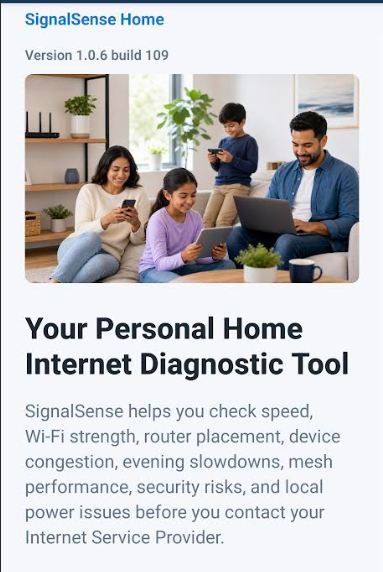
Find weak spots, understand your connection, and make home Wi-Fi problems easier to explain and fix.
Families and homeowners
Turns Wi-Fi symptoms into a guided support-ready report
Guided setup
Before you buy
- Good fit when
- Your household has repeated weak Wi-Fi, streaming, calling, or room-specific connection problems.
- Pause if
- You need a full provider repair, router replacement, or guaranteed speed increase without first diagnosing the cause.
- Confirm before checkout
- Confirm the monthly price, no-password privacy promise, cancellation path, and support-ready result workflow.
Contact TrailRunner with context
For SignalSense Home help, send the testing context so support can separate speed, coverage, reliability, and device issues.
- Send
- Order email, app version, device type, room tested, time of day, and a screenshot or summary of the result.
- Do not send
- Wi-Fi passwords, router admin passwords, private browsing history, or unrelated household details.
What it helps you do
- Simple mobile testing
- Home connection guidance
- Clear shareable results
Preview highlights
- Run a quick connection check
- See plain-language home guidance
- Share results when asking for help
Privacy details
- Data collected
- Network test results, device diagnostics needed for the test, account and purchase records when required.
- Data not collected
- Wi-Fi passwords, private browsing history, contact lists, or microphone recordings.
- Data sharing
- No sale of personal data. Service providers may process data only to run the app, support customers, or complete purchases.
- Family note
- Built for household troubleshooting with plain-language results and support-ready sharing.
Buyer protection notes
- Subscription terms are shown before purchase and in WooCommerce checkout.
- Cancel through the account or support path listed on the site.
- Refund requests are reviewed through TrailRunner support with purchase details.
First 10 minutes after purchase
Use the first 10 minutes to capture a real weak-spot result and turn it into a support-ready explanation.
- Run one test near the router.
- Run one test where the problem happens.
- Save the room, time, and result.
- Share the result with support or your provider if the issue persists.
You know whether the issue is speed, coverage, reliability, or device-specific.
Proof TrailRunner should collect
A useful SignalSense Home case study should show how a household moved from vague Wi-Fi frustration to a clear support-ready explanation.
- Outcome
- The customer can identify where the issue happens and describe it clearly.
- Evidence
- Before/after support notes, test context, and a verified customer account.
- Limitation
- SignalSense can clarify the issue, but provider outages, hardware failure, and building materials may still require outside fixes.
Preview video production plan
Show a family moving from vague Wi-Fi frustration to a clear room-by-room support-ready result.
- Open with weak Wi-Fi in the room where it happens.
- Run a near-router test and a weak-spot test.
- Show the plain-language result and support-ready share path.
Publish after captions, product pricing, privacy notes, and support wording match the live SignalSense Home product page.
Lifecycle and support playbook
Confirm the order, show the safest first test, and help the household turn one weak Wi-Fi moment into a clear support-ready note.
- Welcome subject
- Your SignalSense Home first Wi-Fi check
- First action
- Run one test near the router and one test where the problem happens, then save the room and time.
- Support triage
- Ask for app version, device type, room tested, time of day, and result screenshot. Never ask for the Wi-Fi password.
Marketplace governance
TrailRunner apps should remain family-friendly, pro-business, privacy-aware, and supportable after launch. Product updates, reviews, support ownership, refund concerns, and any eligible creator payout records belong in the governance ledger.